IVR Results
Which options customers pressed in each voice menu
What the IVR reports show you
The IVR Results reports show you what customers did inside your automated voice menus: which option they pressed, how many times each one was pressed, and what data was stored along the way.
There are two reports, and they are meant to be read together:
- General
- The consolidated view. How many times each option of each IVR was pressed over the period you asked for.
- Detail
- The same thing call by call, with the caller's phone number and the exact time.
General answers what is happening inside the IVR at large; Detail answers what one particular person did. A menu bleeding calls through an odd option shows up in General, and to understand why you open Detail.
Both share the toolbar and the filters described in the Reports article, with one difference: there is no graph view here, only the list.
Each inbound campaign can have its own IVR, so these reports show you every menu in use. The IVR filter is what narrows it down to one.
The General IVR report
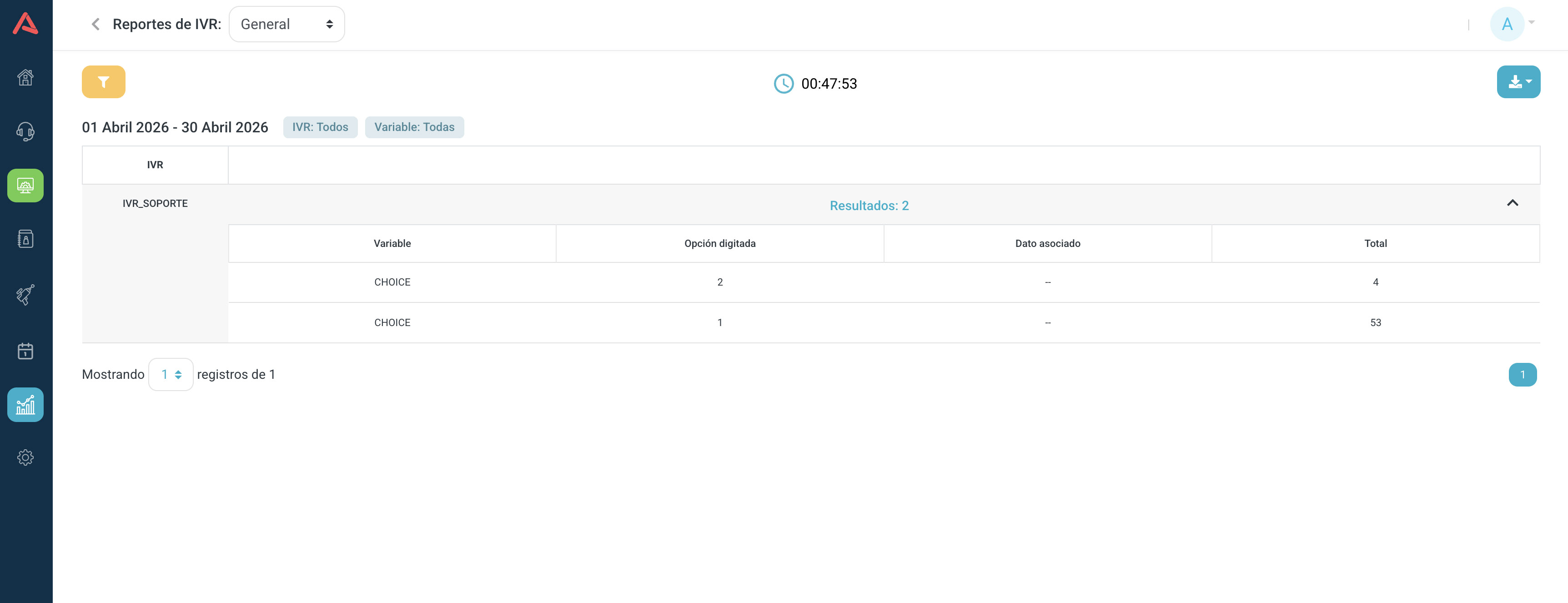
Each row in General is one combination, and it carries five columns:
- IVR
- Which of your menus it is.
- Variable
- The name you gave the piece of data that point in the flow captures. If you did not name it, the step's default variable shows up instead.
- Entered Option
- The key the customer pressed.
- Associated Data
- Whatever was stored alongside that option, when the step stores something.
- Total
- How many times it happened, over the period you asked for.
This is the view for traffic distribution: which option takes most of the calls, which one almost nobody uses, and whether there is a menu nobody reaches any more.
An option almost nobody presses is not always dead weight: sometimes the problem is that the audio names it last, or that the number it asks for is not the one people expect. Before pulling it out of the flow, it is worth looking at the Detail of the few calls that did press it.
The Detail IVR report
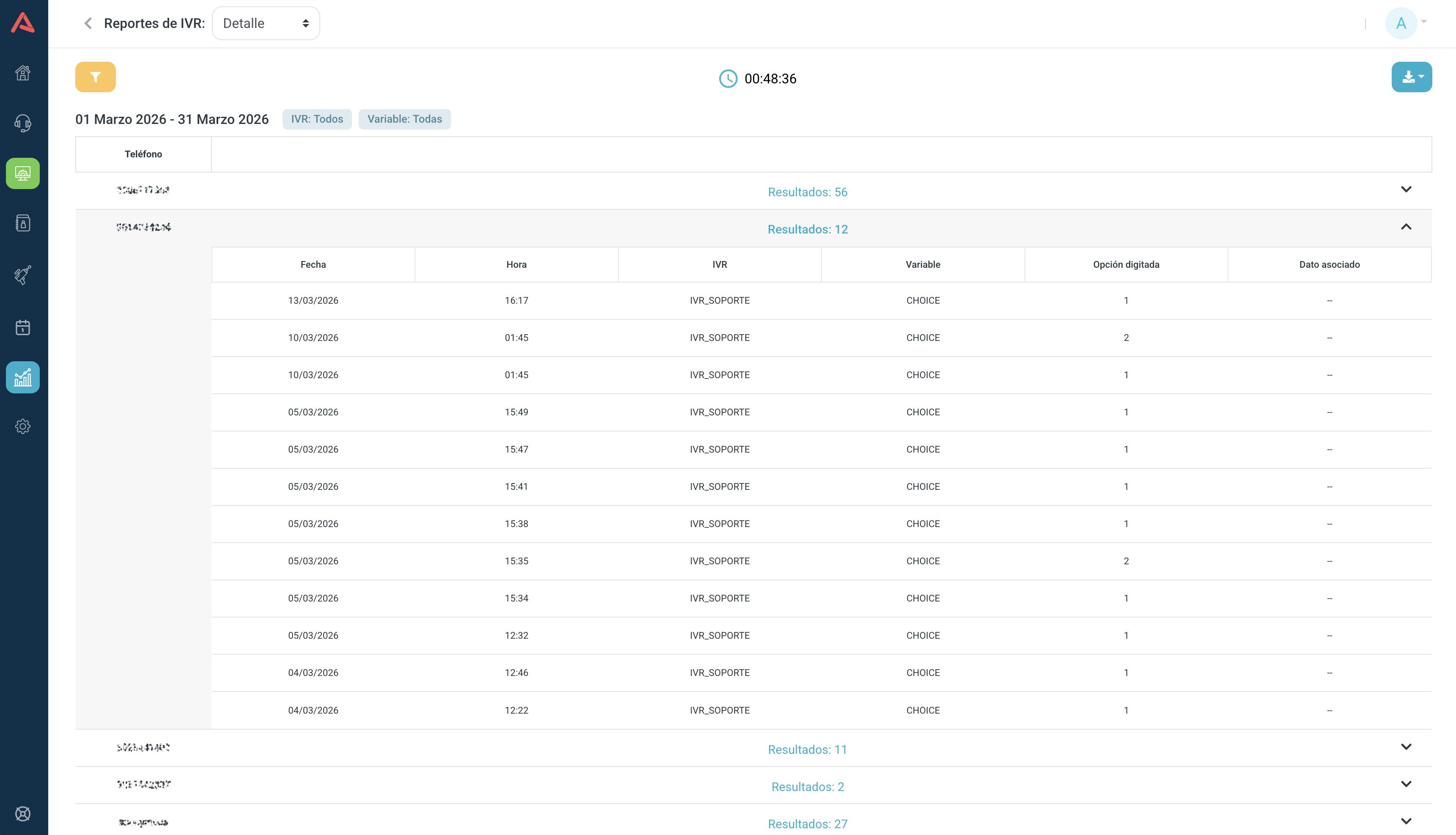
Detail takes the consolidated view apart. It carries the same columns as General plus the phone number, the date and the hour, so a row is no longer "this option was pressed 340 times" but "this number pressed this option at this time".
It is for auditing a specific case: someone complains the menu sent them to the wrong place, and here is the trail of where they went.
Filters of their own
On top of the date, these reports filter by:
- IVR
- The list of your menus, or all of them.
- Variable
- The variables that were captured, or all of them.
- Phone Number
- The number that called in.
- Associated Data
- The value that was stored.
If there was no traffic on the date you picked, the filter tells you instead of showing you empty lists: it warns that there is no IVR or variable data for that date.