Explorer
From the month down to the hour, and from there to each call and its full journey
The Explorer is a report you read from the top down. You start with the month, go down to a day or an hour, and from there to each call with everything that happened to it: which campaigns it went through, who answered it, the recording, the transcript, the AI analysis and the survey. All on the same screen, without building filters or jumping from one report to another.
Where it is
Go to Reports. The Explorer is the large card above all the groups. Today it explores the inbound calls of your voice campaigns, and it shows you only the campaigns assigned to you.
If you do not see the card, ask an administrator to turn on the Explorer's Inbound calls permission in your user profile.
From the month to each call
When it opens you see the current month: the totals at the top, a chart of each day's calls by how they ended, and a table with one row per day. The arrows beside the month take you to the previous or the next one.
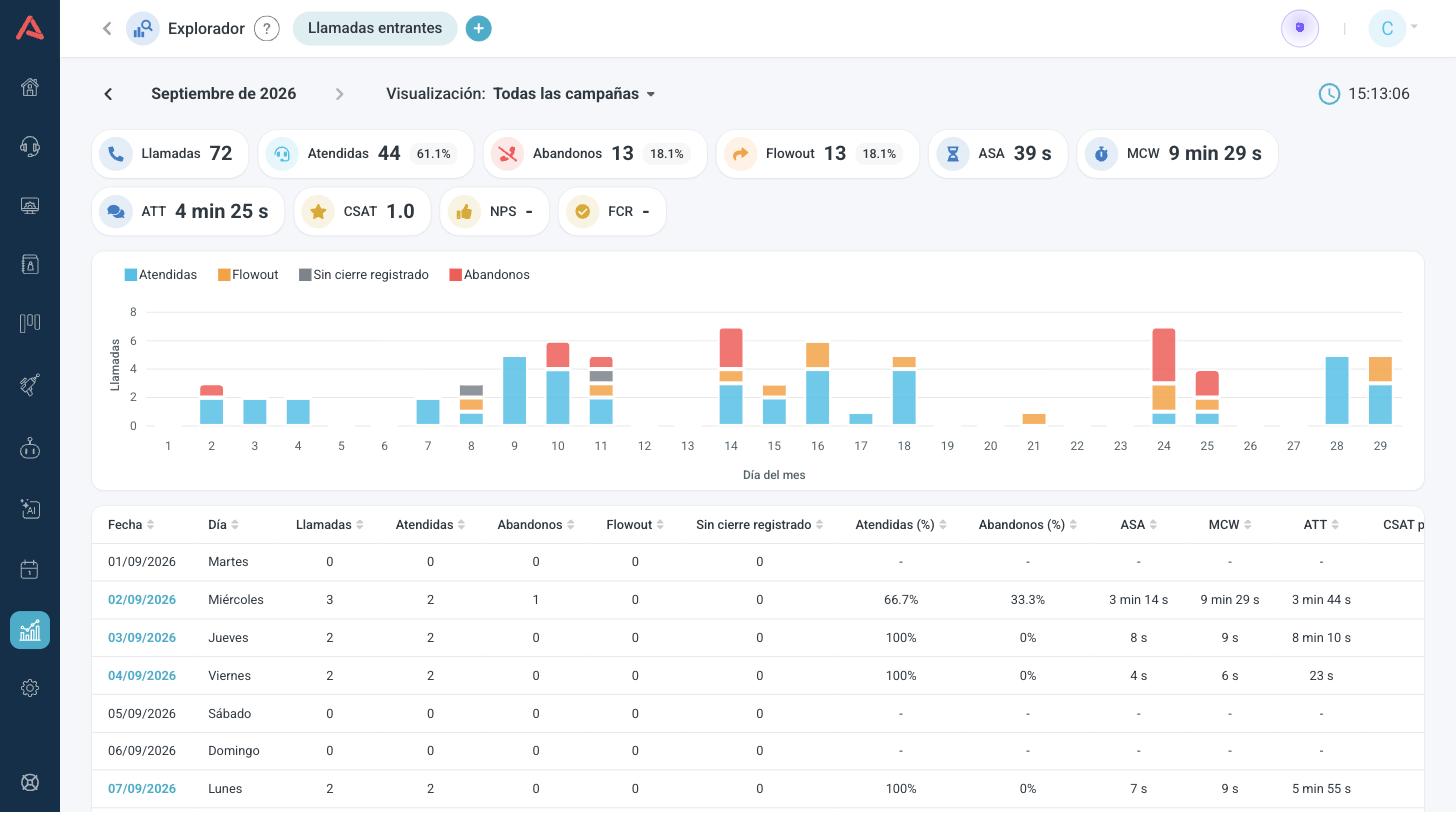
Click a date to go into that day, which looks the same but by hour. From there you pick an hour or all the calls of the day, and the tabs at the top filter the list by outcome.
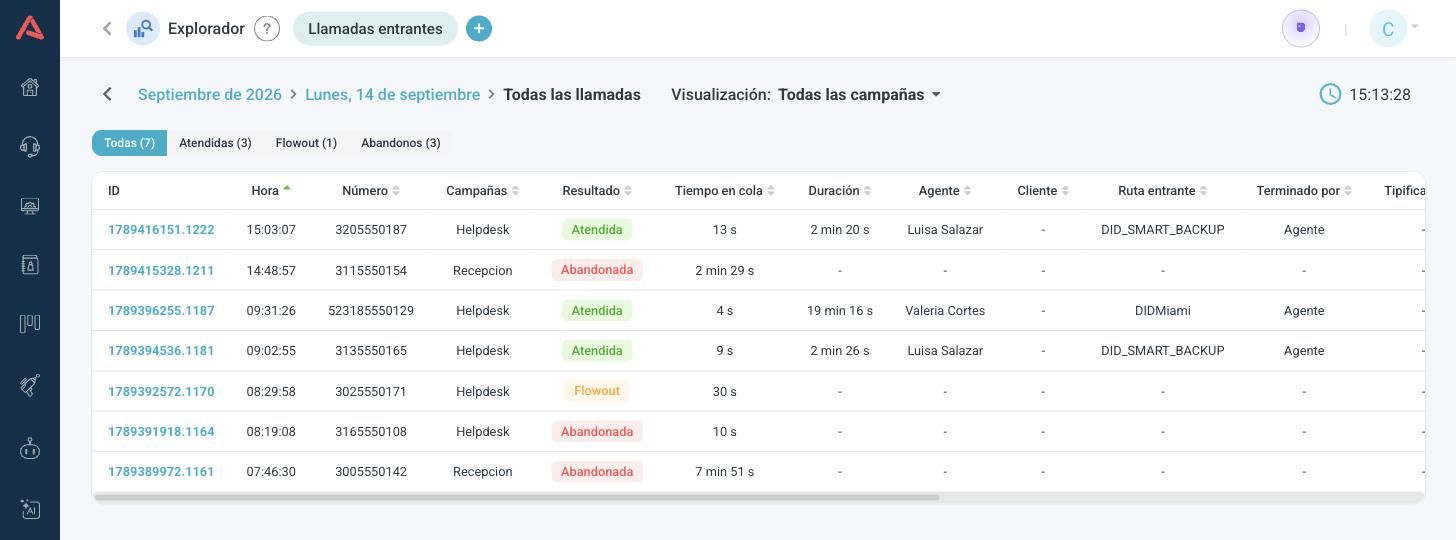
In View you switch from all campaigns to a single one or to a group. And the (+) button opens another Explorer tab, so you can look at another campaign without losing the one you had open. Up to five fit.
Every call ends in one of these outcomes:
- Connected
- An agent took it.
- Abandoned
- The caller hung up while waiting.
- Flowout
- It left the campaign for another destination. It was not lost.
- No recorded ending
- How it ended was not saved. Almost always because that event was lost; if the call is from a moment ago, it may still be in progress.
Here each call counts once, in the hour it came in and in the campaign where it was answered, or in the last one it went through if nobody answered. That is why these totals may not match Campaign Activity, which adds up events rather than calls.
One call, start to finish
Click a call's ID to open its journey. At the top is who called, when it came in, who answered and in which campaign. Below, everything else:
- Journey: each step of the call with its time, from entering the campaign until it ended. If the agent passed the call to someone else from their phone, you see it as the agent leaving the call while the caller stayed on the line.
- Recording, with the agent's and the caller's turns marked on the timeline.
- AI analysis: a summary of what was said.
- Transcript of the conversation.
- Quality control: the rules that were met and the ones that were not, with the sentence from the call that shows it. Click the sentence and the recording jumps to that moment.
- Survey: what the caller answered at the end, if they did.
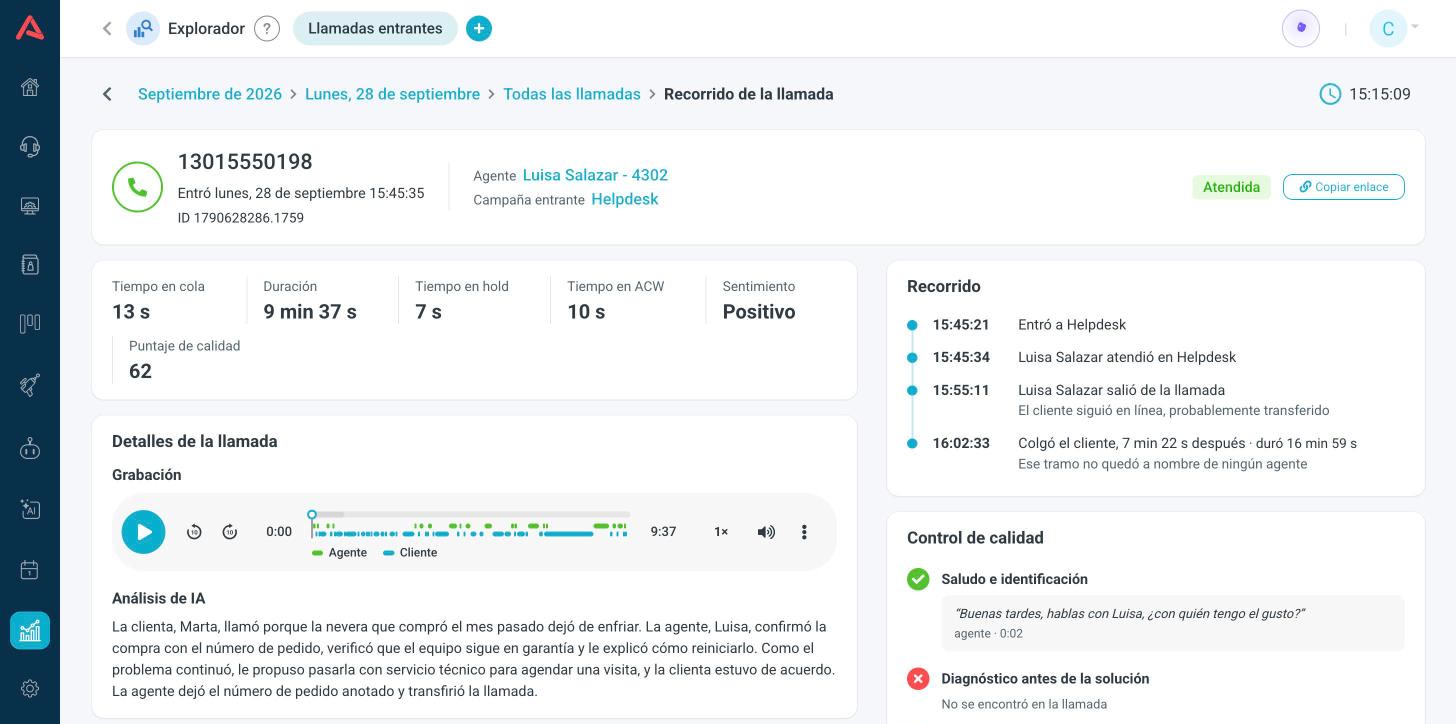
Each block shows up when the call has it. A call that never reached an agent has no recording or transcript.
The agent's name and the campaign's are links: they open a new tab with that agent's or that campaign's calls, in the month of the call. And Copy link lets you share the call with someone on your team. The link opens it directly, and only people assigned to its campaign can see it.